

Download 1xBet APK for Android


Verified 1xBet APK Details
- App Name
- 1xBet
- Minimum OS
- Android 7.0+
- File Type
- .APK installer
- File Size
- 44.31 MB
- RAM
- 2 GB
- Free Storage Required
- 500 MB
| Rating | |
| Downloads | 11.258 |
| App Version | 1xBet 1xbet-prod-v258.0.74 |
| APK name | 1xbet.apk |
| Provider (Developer) | 1xBet (1xCorp N.V.) |
| Age Rating | 18+ (Philippines: 21+) |
| Compatibility (CPU architecture) | armeabi-v7a, x86, arm64-v8a, x86_64 |
APK SHA256 | 1bd88453511c78bf3ee703f1ec2ab80f95ae69445b6a56ef6dd1e235c028304c |
| Certificate signature MD5 | c9d02be855873ea10531867efa0c30fb |
| Security analysis | No Virus, No Malware, No Spyware (Virustotal) |
| Permissions | 39 required permissions |
| Distribution | Free, owner license, copyright © 2026 1xBet |
| Languages | English, Filipino + 50 more |
| Main Coverage | Full sportsbook and casino, Sport statistics |
| Main Features | Live betting, fast odds, HD live streaming, biometric login, push notifications |
| Payment Methods (PH) | GCash, Maya, bank transfers, Visa, MasterCard, cryptocurrencies |
| Minimum Deposit (PH) | ₱100 |
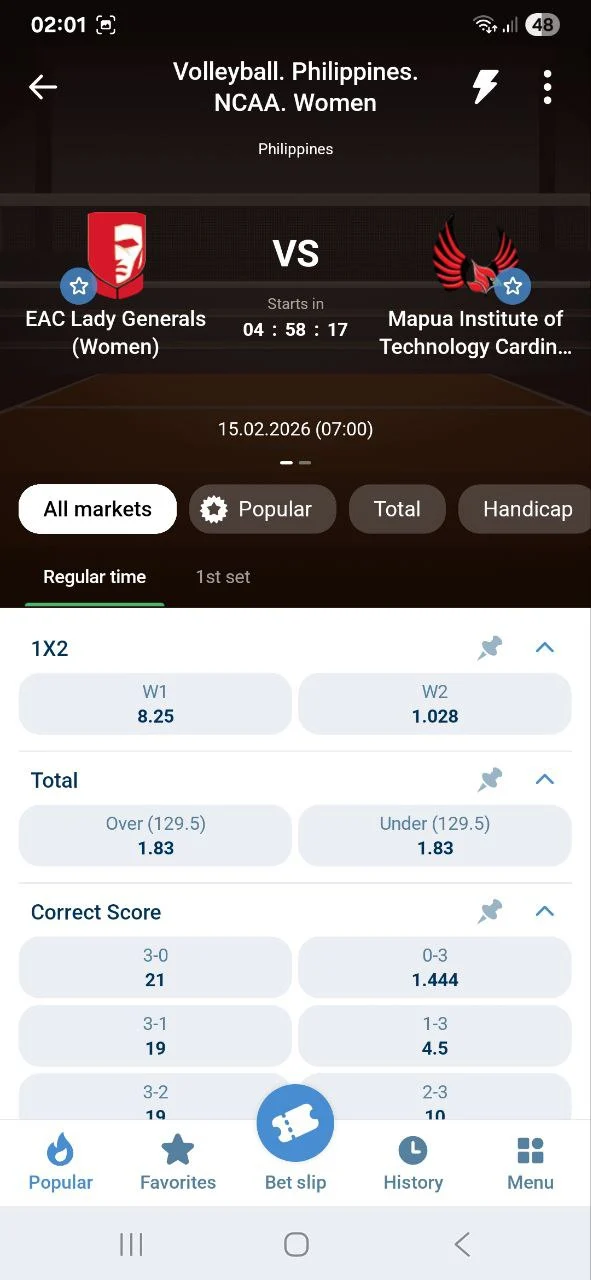
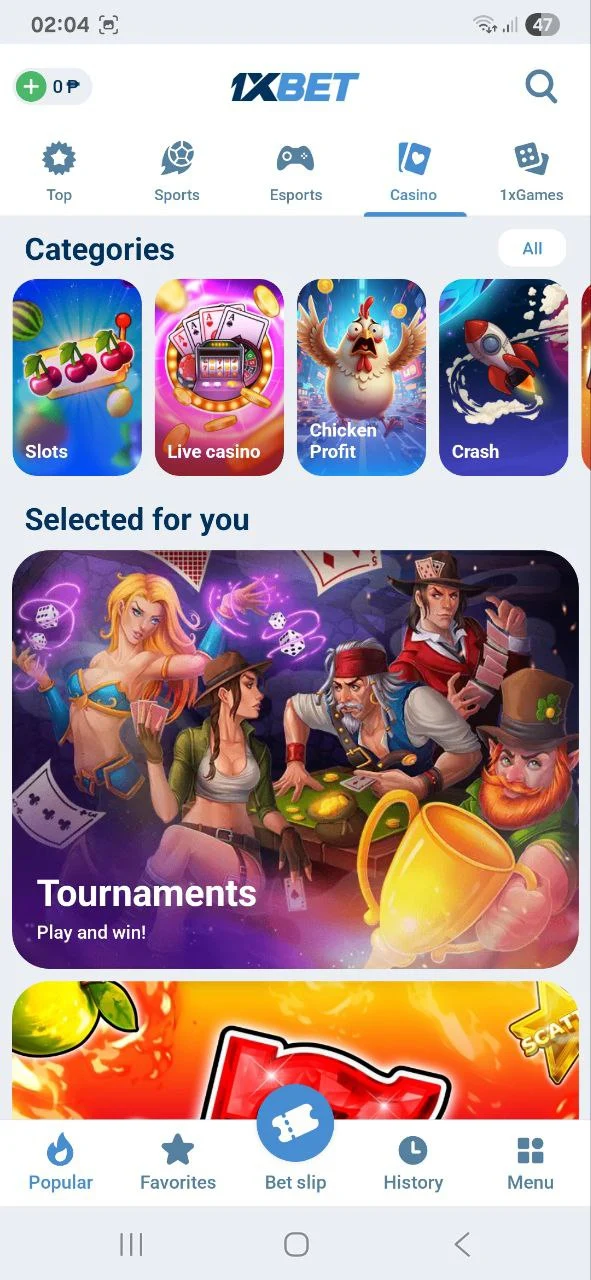
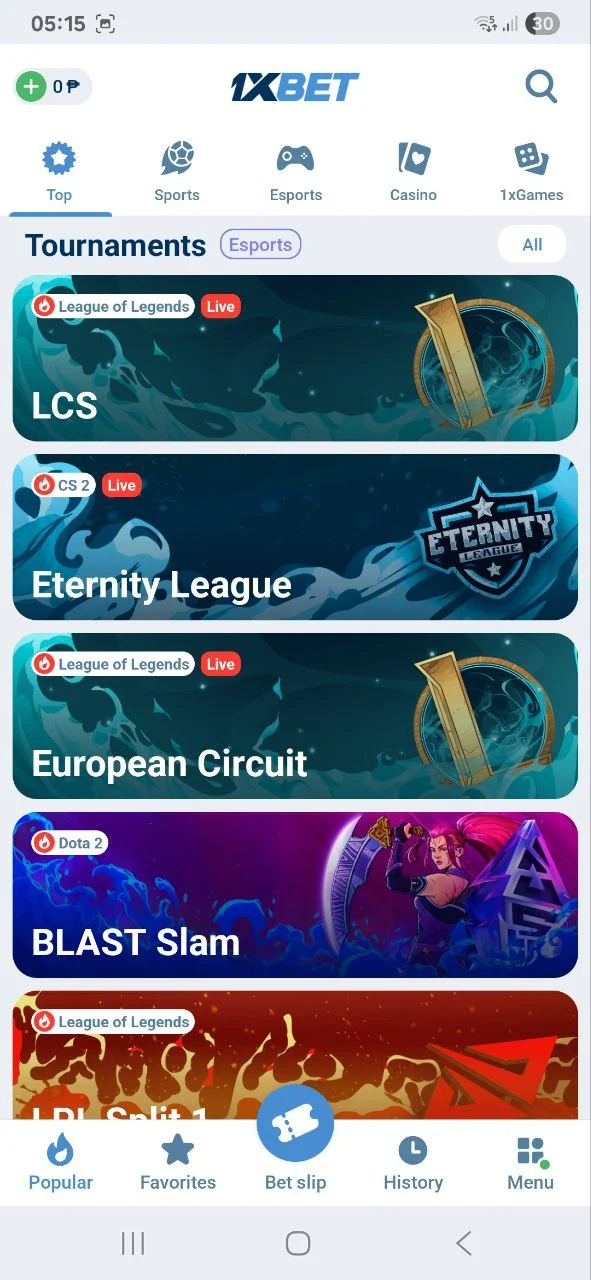
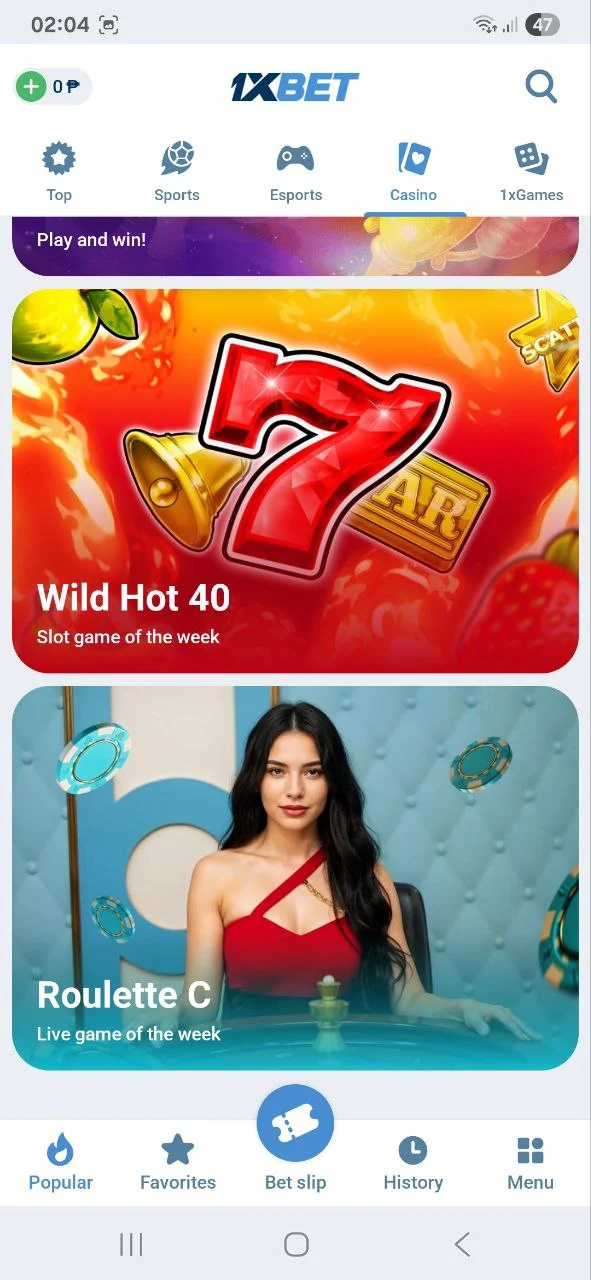
How to Download and Install the 1xBet Apk for Android
The 1xBet apk download process is necessary for Android users, as the app is distributed directly from the official website. This method, known as sideloading, is secure when the APK file is sourced from 1xBet’s official portal.
To successfully install 1xBet Android, follow this sequence:
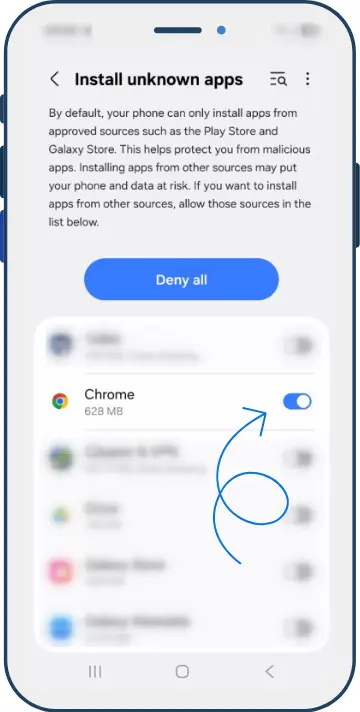
Enable Unknown Sources
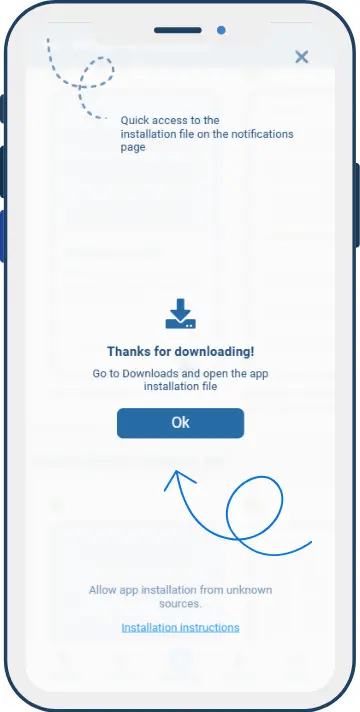
Download the APK
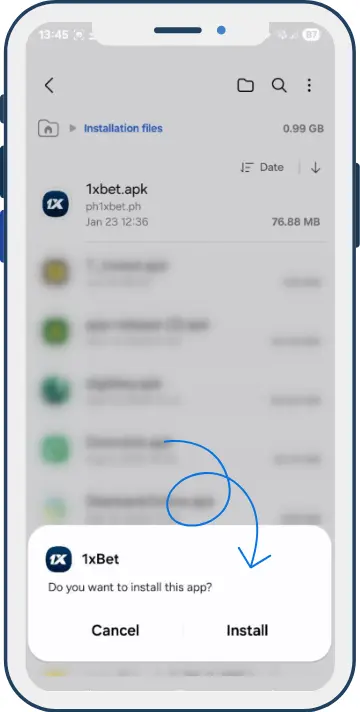
Run the Installer when download is complete
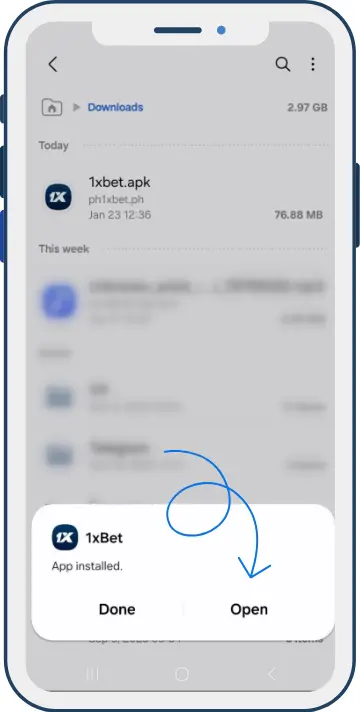
Launch the App
Video: How to Download 1xBet for Android
Common Android APK Problems & Troubleshooting
| Problem | Cause | Solution |
|---|---|---|
| “Install blocked” message | Unknown Sources not enabled | Enable “Install Unknown Apps” for your browser in Settings |
| APK fails to open | Incomplete download | Re-download the APK; check available storage (need 150 MB+) |
| “App not installed” error | Conflicting older version | Uninstall any previous version of 1xBet, then reinstall |
| App crashes after install | Insufficient RAM or OS too old | Ensure Android 7.0+ and 2 GB RAM; restart device and retry |
| APK file not found | Download interrupted | Check Downloads folder; if missing, re-download |
| App asks for update | Download the latest APK and install it over the current version. Do not use old APK files for long periods | |
| Login problem | Check phone number/email, password, internet connection, and two-factor or verification messages | |
| Payment delay | Check payment status, save the transaction ID, and contact support with proof of payment |
Why Use the Android App Instead of the Browser?
Faster navigation

The app gives quick access to betting markets, casino games, account balance, bet slip, and payment tools
Live betting

Smoother live betting with cached data reducing load times on mobile connections (football, basketball, tennis, esports, and other events)
Push Notifications

Enable alerts for match updates, bet results, account activity, and selected promotional messages
Technical Requirements and Performance Optimization
To ensure the 1xBet application runs smoothly, a user’s device must meet certain minimum technical specifications. Adhering to these Android requirements and iOS guidelines prevents performance issues such as lag or unexpected application closures.
| Specification | Minimum | Recommended |
|---|---|---|
| Minimum OS | Android 7.0 | Android 10+ |
| RAM | 2 GB | 4 GB+ |
| Free Storage | 150 MB | 500 MB+ |
| 1xBet app size (approx.) | ~44.31 MB (APK) | – |
| Processor | Quad-core 1.4 GHz | Octa-core 2.0 GHz+ |
| Screen Resolution | 720p (HD) | 1080p (FHD) |
Network Conditions
4G enables a stable connection for live betting on the 1xBet app, minimizing odds delays and freezes. 4G provides sufficient speed for streaming and betting simultaneously for users who follow matches in real time. Fortunately for mobile bettors, 4G is widely available across major Filipino cities and regions, making the app accessible in most populated areas.
| Connection Type | Minimum Speed | Recommended Use |
|---|---|---|
| 4G / LTE | 5 Mbps | Live betting + streaming |
| Wi-Fi | 10 Mbps | Live dealer casino games |
| 3G | 2 Mbps | Pre-match betting only |
Wi-Fi vs. 4G for 1xBet: A stable home Wi-Fi connection is ideal for live dealer casino games (require consistent video streaming). 4G is fully sufficient for sports betting on the go (widely available in Metro Manila, Cebu, and Davao).
Performance Optimization Tips for Android
- Keep the OS updated – Android updates patch bugs that can cause app crashes
- Clear app cache regularly – Settings > Apps > 1xBet > Clear Cache every few weeks
- Close background apps – Free up RAM before live betting sessions for smoother performance
- Enable Wi-Fi over mobile data when at home for the most stable streaming experience
- Avoid low-storage situations – Keep at least 500 MB free for optimal caching
- Disable battery saver mode – Battery saver can throttle CPU performance and cause app lag during live events.
The application is optimized to maintain stable performance during live betting and casino gameplay, provided the device meets or exceeds these baseline specifications.
1xBet Android App vs Mobile Website
| Feature | 1xBet Mobile App (APK) | 1xBet Mobile Site | 1xBet PWA |
|---|---|---|---|
| Access | APK download required | Instant via browser | Pinned via Chrome |
| Performance | Best – native optimization | Browser-dependent | Near-app performance |
| Push Notifications | ✅ Full | ❌ None | ⚠️ Limited (Android Chrome) |
| Storage | ~500 MB | None | Minimal cache |
| Offline Access | Limited offline features | None | None |
| Updates | Manual from official site | Automatic | Automatic |
| Data Usage | Efficient (cached assets) | Higher per visit | Moderate |
| Loading Speed | Fastest | Slower on older devices | Moderate |
A mobile browser on Android (Chrome) enables creation of PWA shortcuts on the home screen, providing app-like access to the 1xBet website. Visit the 1xBet PHilippines in Chrome, tap the three-dot menu, and choose “Add to Home Screen.” The PWA shortcut behaves like an app icon but runs inside Chrome (always shows the latest version automatically and requires no storage for installation).
1xBet Android App Features

Sportsbook
Pre-match and live markets for football, basketball, tennis, esports, boxing, volleyball, and more

Live Casino
Live dealer tables, slots, crash-style games, and other casino sections from one account

Bet Slip
Add selections, check odds, manage singles or accumulators, and track open bets
Cash Out
Some bets may support early settlement when cash out is available for the selected event
Payments
Deposit and withdraw from the mobile account using available payment methods for the Philippines
Account Tools
Manage login, personal details, verification, bonuses, transaction history, and security settings
1xBet Mobile Payments Available in the Philippines


| Category | Details (Philippines) |
|---|---|
| Deposit Methods | GCash – Instant, most used by Filipinos Maya – Fast & secure digital wallet Visa, Mastercard – Credit & debit card options Online Banking – UnionBank, BPI, and others Crypto – Bitcoin, Ethereum, and more |
| Withdrawal Methods | Same options as deposits E-wallets (GCash, Maya) – within 24 hours Bank / Card Transfers – 1-5 business days |
| Transaction Speed | Instant deposits Quick withdrawals via e-wallets |
| 🇵🇭 Local Relevance | Fully supports PHP currency Optimized for Filipino users with local e-wallets |
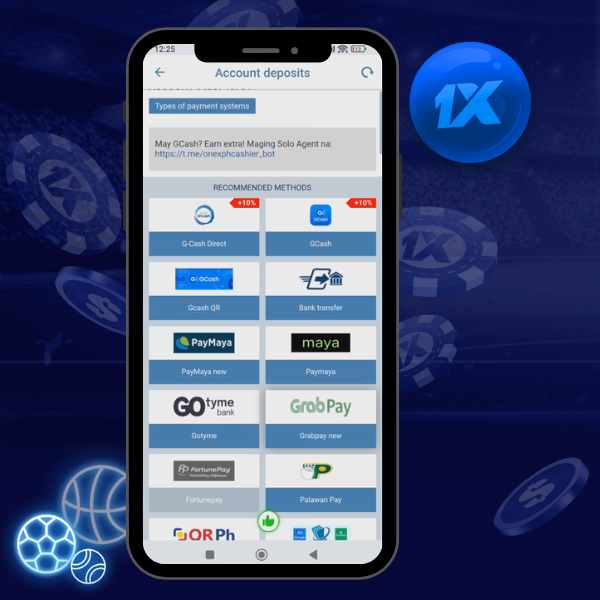
Before making a deposit
- Check minimum and maximum limits inside your account
- Use the same personal details for payment and verification
- Save transaction IDs until the payment is confirmed
- Read bonus wagering rules before accepting a promo
APK Security Checklist
Use the official APK
Avoid mod APK files, cracked apps, unknown mirrors, and downloads that promise unlimited money or bypassed verification.
Check file details
Compare version, size, update date, and checksum before installing a new APK file
Protect your account
Use a strong password, lock your phone, and avoid logging in from shared or public devices.
Responsible gaming
1xBet is a real-money betting product. Use it only if you are 18+ (21+ for Philippines) and only with money you can afford to lose.
Permissions to Check
Core access
- Internet
- Network state
- Wi-Fi state
Account & KYC
- Camera
- Microphone
- Fine,coarse location
App operation
- Install packages
- Notifications
- Biometric, fingerprint
1xBet Welcome Bonus and Promo Codes for Mobile Users
| Feature | Sports Welcome Bonus | Casino Welcome Bonus |
|---|---|---|
| Maximum Bonus | ₱8,888 (₱8,888×2 with promocode 1x_3750778) | ₱111,777 + 350 Free Spins |
| Bonus Type | 100% on 1st deposit | Package across 1st-2nd deposits |
| Primary Use | Sports betting | Casino games & slots |
Version History
| Version | Date | Key changes |
|---|---|---|
| prod-v258.3.0 | 15 Sep 2026 | Current version. Latest verified Android APK build for the Philippines page. |
| prod-v257.0.74 | 19 Aug 2026 | Previous stable build. |
| prod-v256.3.0 | 4 Aug 2026 | Previous stable build for the Philippines page. |
| prod-v255.5.0 | 6 Jun 2026 | Betslip stability fixes, faster Live loading, stronger file check during installation |
| prod-v255.3.0 | 1 Jun 2026 | New betslip generator, memory optimization, reduced APK file size |
| prod-v254.5.0 | 22 Apr 2026 | Live Casino page redesign, new sports filters, odds display fixes |
| prod-v252.5.0 | 25 Feb 2026 | Better Mobile Money support and KYC verification fixes |
| prod-v251.0.505 | 21 Jan 2026 | Faster Cash Out, odds alerts, live match notification stability |
| prod-150 (25900) | 16 Dec 2025 | Performance optimization for entry-level devices and installation bug fixes |
| prod-149 (25025) | 24 Nov 2025 | New crash games and improved live match streaming |
| prod-148 (24190) | 6 Oct 2025 | Updated dark mode, theme personalization, card deposit fixes |
| prod-147 (23542) | 11 Sep 2025 | Better event search and accumulator bet sorting |
| prod-146 (22668) | 26 Aug 2025 | General stability fixes and lower data use during Live |
Rating and Reviews
FAQ
Android 7.0 or higher.
prod-v258.3.0, dated 15 Sep 2026.
Google Play restricts real-money betting apps in many countries. That’s why 1xBet offers a direct APK download.
Yes (download it only from the official 1xBet website). The official APK is regularly tested and secure.
1xBet app usually notifies you when an update is available. Tap the update prompt inside the app, or visit 1xBet to download and install the latest version manually.
Go to Settings > Security > Enable ‘Install from Unknown Sources’
Make sure you have enough free storage space
Re-download the APK in case the file was corrupted
Restart your phone and try again
Yes. The 1xBet APK works on Android tablets running Android 7.0+. The interface adapts to larger screens, making it comfortable
No. APK is Android-only. iPhone uses App Store or Safari, mobile web access.

